


Click and see how ArtLocker operates
How much production time is being lost to manual organization and artwork management?
ArtLocker was built to simplify the way apparel decorators manage production from start to finish. Instead of relying on scattered emails, disconnected systems, and manual processes, ArtLocker brings your workflow into one organized platform designed specifically for production environments.
So much more is coming in 2026
Keep orders, mockups, approvals, and production artwork connected in one streamlined workflow.
Organize files, track revisions, and manage artwork progress in real time.
Built with real apparel production experience to support growing teams and operations.
Improve visibility, reduce manual work, and scale production with confidence
Artwork Management
Take control of every file, version, and revision—without the chaos.
Artlocker centralizes your creative files so your team can upload, tag, preview, and track every version. All in one place, with full visibility and control.
◉ Version File History
◉ Centralized Proof Approvals
◉ Visual Status Tracking

Advanced Search
Find exactly what you need - faster.
ArtLocker’s intelligent search lets you locate files, orders, and tags in seconds using smart filters and keyword detection.
◉ Saved Search Queries
◉ Real-Time Suggestions
◉ Smart Filter Logic
Asset Library
Your Files. Your Control
Store all reusable artwork, logos and mockups in one centralized space for fast access and reuse.
◉ Visual File Storage
◉ Quick Asset Reuse
◉ Worry Free Re-Orders
Note: Files will be retained for a limited time. To preserve long-term access, users can export assets before offboarding. Storage limits apply to help keep systems optimized.

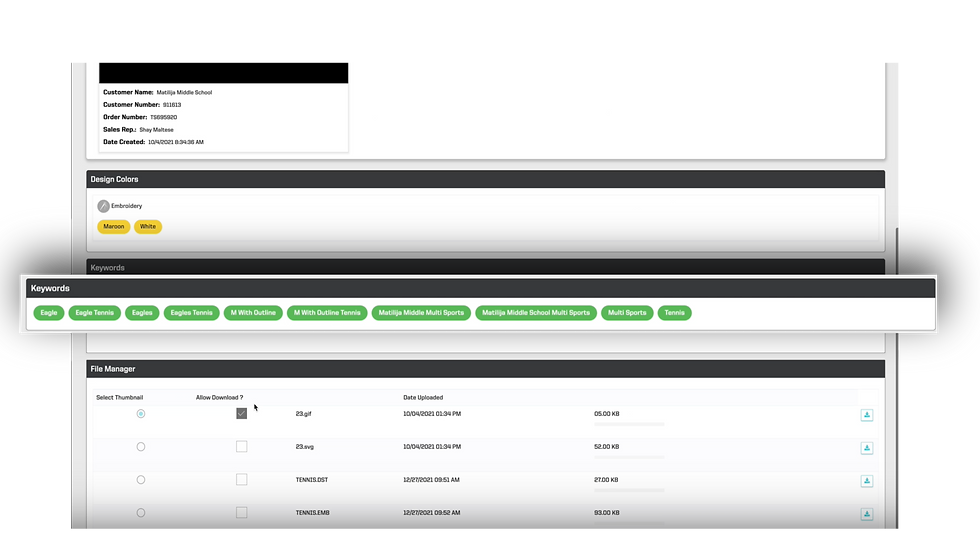
Metatag Data
Every file has a history—ArtLocker helps you follow it.
Each asset is tagged with smart metadata that tracks who created, updated, and approved it. Quickly filter files by client, status, order ID, or artist to stay organized and in control.
◉ Smart Tagging System
◉ Auto Context Capture
◉ Full File Traceability

Asset Management
Keep every file in one secure place. Upload, tag, and track all your artwork — from first proof to final production file — with simple version control and organized storage.

Email Settings
Send proofs that look professional every time. Automate branded emails, set notifications, and keep client replies linked directly to their order.

Art Approvals
Speed up client feedback with one-click approvals. Clients can comment, request edits, and approve designs instantly, while you track every step in real time.

Place Order
Seamlessly move from art to production. Integrated order workflows connect files, approvals, and statuses so you can process jobs faster with fewer mistakes.

Search Assets
Find what you need in seconds. Powerful filters and tags make it easy to search by client, order, or file type — no more digging through folders.
User Roles
Stay in control with role-based permissions and insight dashboards. Assign access, monitor team performance, and pull reports to keep your shop running smoothly.